Showing posts with label flickr. Show all posts

Tuesday, 14 June 2011

Cool Flickr Search Thingy - FlickrHiveMind


Have you discovered FlickrHiveMind yet?  It’s a great little search tool -
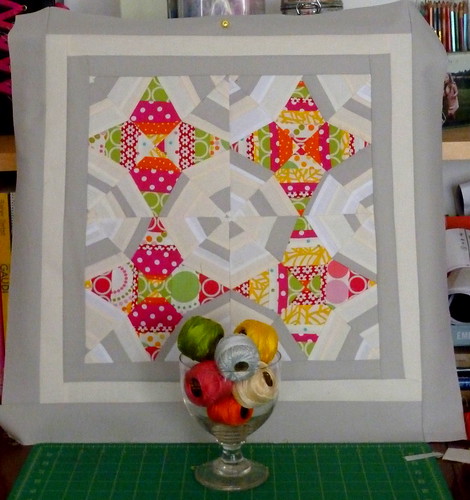
Brit Quilt Swap - Harlot's Web Quilt Top - 2011 -

I stumbled on it it by accident because yesterday’s blog post picture apparently appeared on Explore on Flickr - it’s one of those ‘interesting picture of the day’ things that I have no idea what the pre-requisites for being chosen are!
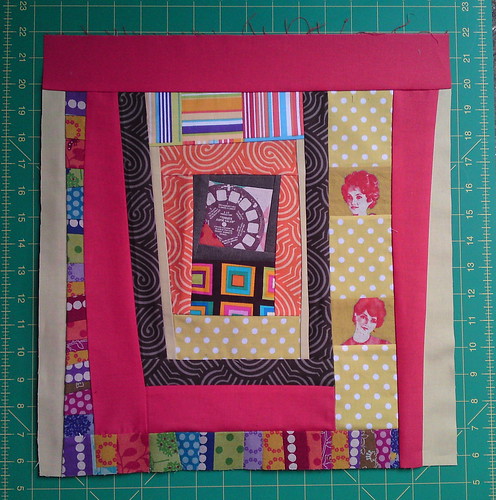


DQS10 - Gee, It's a Bloody Mary Bendy Blockrubystarrising searchAnyway, I was jolly chuffed - and then after a bit of entirely mindless clicking  - I found myself on a list of “The World’s Best Photos of Ruby Star Rising”  - LOL!  Talk about hype -- but anyway, I was super delighted to see that my DQS10 Bloody Mary quilt was on there … I guess this search engine is based on activity/number of hits/comments or summat?


when I searched my flickr user name - this is what came up …


myphotostreamsearch

It’s lovely - you can search by date or ‘interstingness’ etc. and there are different page views … I liked the thumbnail view …

The World's Best Photos by Sarah @ PingsAndNeedles - Flickr Hive Mind 2011-06-14 20-13-16

You can also search any of your tags and it will show all other pics on flickr with that tag … you get the picture?  Hours of endless timewasting opportunities here I think …

FlickrHiveMind is above all a great image search engine for flickr content.  Give it a go!

Saturday, 7 May 2011

Creating Galleries in Flickr - A Nerdy Tutorial -

I’ve created a Brit Quilt Swap Inspiration Gallery for my partner-to-be on the upcoming Brit Quilt Swap on Flickr.


flickr ten


I’m nerd Mama on the swap, so I thought I’d do my bit and post a picture tutorial on how to set up a Gallery on Flickr.

A Gallery is basically the same as a Set, but with other people’s pictures. The thing I like about Galleries is that they take the mosaic one step further.

On swaps sometimes, it’s very easy for us stalkers partners to feel intimidated by the beautiful things in our partners’ mosaics. In a Gallery you have the chance to say something about what makes those pictures inspirational for you, and this can really help your partner.

They’re such fun to do, and easy peasy too.  Let’s go!


1.  I started off with my mosaic links, but you can add any picture you see on flickr that is enabled by the user. Basically if it works in your mosaic you’ll most likely be able to put it in a gallery.

flickr one


2.  Using the drop down menu under ‘Actions’, select ‘Add to a gallery’

flickr gallery tutorial


3. You can add to existing galleries, or create a new one:

flickr two


4.  Give it a name and a brief description …

flickr three


5. Click ‘Done’

flickr four


6.  Once you’ve created the gallery, whenever you want to add to it, you’ll see it in the menu on ‘Actions’ --> ‘Add to Gallery

image


7.  You can then find your galleries on the drop down menu under ‘You’ at the top of the flickr page.

image


8. When you click on ‘Galleries’ you will see them all there. Voila!

flickr five


9. Once you click into your gallery you can do stuff on the right hand side, like reordering and changing the thumbnail, and on the left you can start adding comments to each of the pictures. to give a little more information on why you've chosen them

flickr six


So, what’s stopping you? 

Whether you’re doing a swap or not, go have some fun, create a gallery and share the love!


And, if you're a Brit Quilter and you want to get involved in Lynne's Brit Quilt Swap on Flickr get on over there and join!  Sign ups start any time now.


LinkWithin

Related Posts Plugin for WordPress, Blogger...